
How to Calculate Weighted Grades: Formula, Examples and Common Mistakes
When your syllabus says "Tests 40%, Homework 20%, Final 25%", your class grade is a weighted average. Here is the formula, a full worked example, how to handle missing categories, and how to tell whether your class uses weights or points.
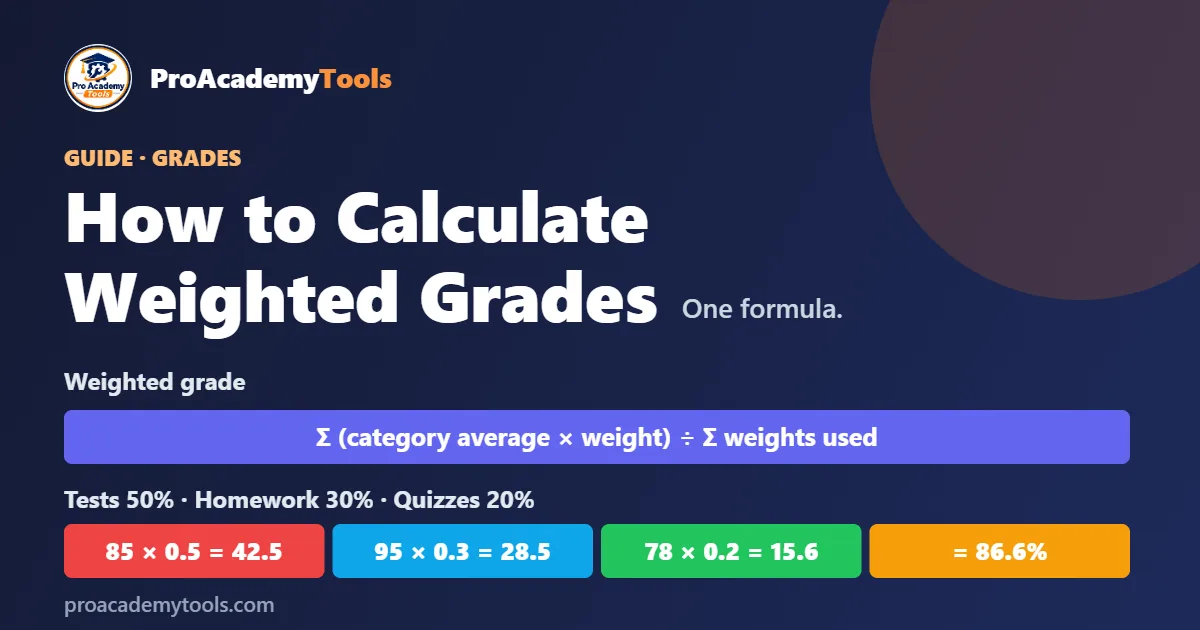
To calculate a weighted grade, multiply each category average by its weight, add the results, and divide by the total of the weights you used. Example: tests 85% × 50% + homework 95% × 30% + quizzes 78% × 20% = 42.5 + 28.5 + 15.6 = 86.6%. If some categories have no grades yet, divide by the weights that do. The weighted grade calculator does it for you.
What is a weighted grade?
A weighted grade is a class grade where some kinds of work count more than others. Instead of every assignment counting equally, your teacher groups work into categories and gives each category a weight — a percentage of your final grade. Tests worth 50% move your grade five times more than a participation category worth 10%.
The weighted grade formula
Weighted grade = Σ (category average × category weight) ÷ Σ weights used
When all categories have grades and the weights add up to 100%, the bottom of the fraction is 100% (or 1.0), so you can simply add the weighted scores.
Step-by-step example
Suppose your syllabus says:
| Category | Weight | Your scores | Category average |
|---|---|---|---|
| Tests | 40% | 82, 88, 79 | 83.0% |
| Homework | 20% | 100, 95, 90, 100 | 96.25% |
| Quizzes | 15% | 70, 85, 80 | 78.3% |
| Labs/Projects | 25% | 92, 88 | 90.0% |
Step 1 — Average each category. Add the scores in a category and divide by how many there are (if each item is out of 100). Tests: (82 + 88 + 79) ÷ 3 = 83.0%.
Step 2 — Multiply each average by its weight (as a decimal):
| Category | Average × weight | Weighted points |
|---|---|---|
| Tests | 83.0 × 0.40 | 33.20 |
| Homework | 96.25 × 0.20 | 19.25 |
| Quizzes | 78.3 × 0.15 | 11.75 |
| Labs/Projects | 90.0 × 0.25 | 22.50 |
| Total | 86.70 |
Step 3 — Divide by the total weight used. All four categories have grades and the weights total 100%, so your weighted grade is 86.7% — a B on most grading scales.
How to calculate a weighted grade when categories are missing
Early in a term you may have no grade yet for the final or a project. Your current grade then only reflects the categories you have:
Tests 83% × 40% + Homework 96.25% × 20% = 33.2 + 19.25 = 52.45, and the weights used total 60%, so your current grade is 52.45 ÷ 0.60 = 87.4%.
This is exactly what most online gradebooks show mid-term. It is also why your grade can swing a lot when a heavily weighted category gets its first score.
Weighted categories vs total points: which does your class use?
Not every class uses weights. Check your syllabus:
- Weighted categories: the syllabus lists percentages (“Tests 40%”). Use the formula above.
- Total points: the syllabus lists points (“Tests are worth 100 points each”). Then your grade is simply points earned ÷ points possible. Bigger assignments already count more because they carry more points.
Example (points): 430 earned out of 500 possible = 86%. No weights needed.
If category items are worth different points (a 50-point quiz and a 20-point quiz), average the category by points, not by percentages: (45 + 14) ÷ (50 + 20) = 84.3%, not the average of 90% and 70% (80%).
The weighted average formula in Excel or Google Sheets
Put your category averages in column B and weights in column C, then use:
=SUMPRODUCT(B2:B5, C2:C5) / SUM(C2:C5)
This is the general weighted average formula and works for grades, GPA (grade points weighted by credits — see how to calculate GPA) or any other weighted mean.
How much will one assignment change my grade?
A single score’s impact depends on its category weight and how many items are in that category. Adding one more test to a 40% category with three tests already graded changes the test average by a quarter of the difference between the new score and your current average — and your class grade by 40% of that change.
To plan ahead for the biggest one, the final exam, use the final grade calculator or read what do I need on my final.
Common weighted grade mistakes
- Averaging percentages across categories without weights — a 100% on homework does not offset a 70% on tests equally.
- Dividing by 100% when categories are missing — this understates your current grade.
- Averaging percentages inside a category when items have different point values.
- Forgetting dropped scores — many teachers drop the lowest quiz or homework.
- Ignoring rounding rules — some teachers round 89.5% up to an A−; others do not.
Frequently asked questions
How do weighted grades work?
Each category of work (tests, homework, quizzes, final) counts for a set percentage of your grade. Your category average is multiplied by that percentage, and the results are added to give your class grade.
How do I calculate my grade if the weights do not add up to 100%?
Divide the sum of (average × weight) by the sum of the weights you used. For example, if only 60% of the weight has been graded, divide by 0.60.
What is the weighted average formula?
Weighted average = Σ (value × weight) ÷ Σ weights. In a spreadsheet, use =SUMPRODUCT(values, weights)/SUM(weights).
Is a weighted grade better than an unweighted grade?
Neither is better; they measure the class differently. Weighting stops many small assignments from outweighing major exams, which most teachers see as fairer.
How do I find what I need on a test to reach a target grade?
Rearrange the formula: required score = (target − current weighted points) ÷ test weight. The final grade calculator and weighted grade calculator do this automatically.
Sources and methodology
Worked examples use the weighted mean formula and are rounded to one or two decimal places. Letter grades refer to the common US 90/80/70/60 scale.
Reviewed by the ProAcademy Tools editorial team. Found an error? Tell us — we correct mistakes quickly.